Back to changelogs
Feb 2, 2026
Saved prompts
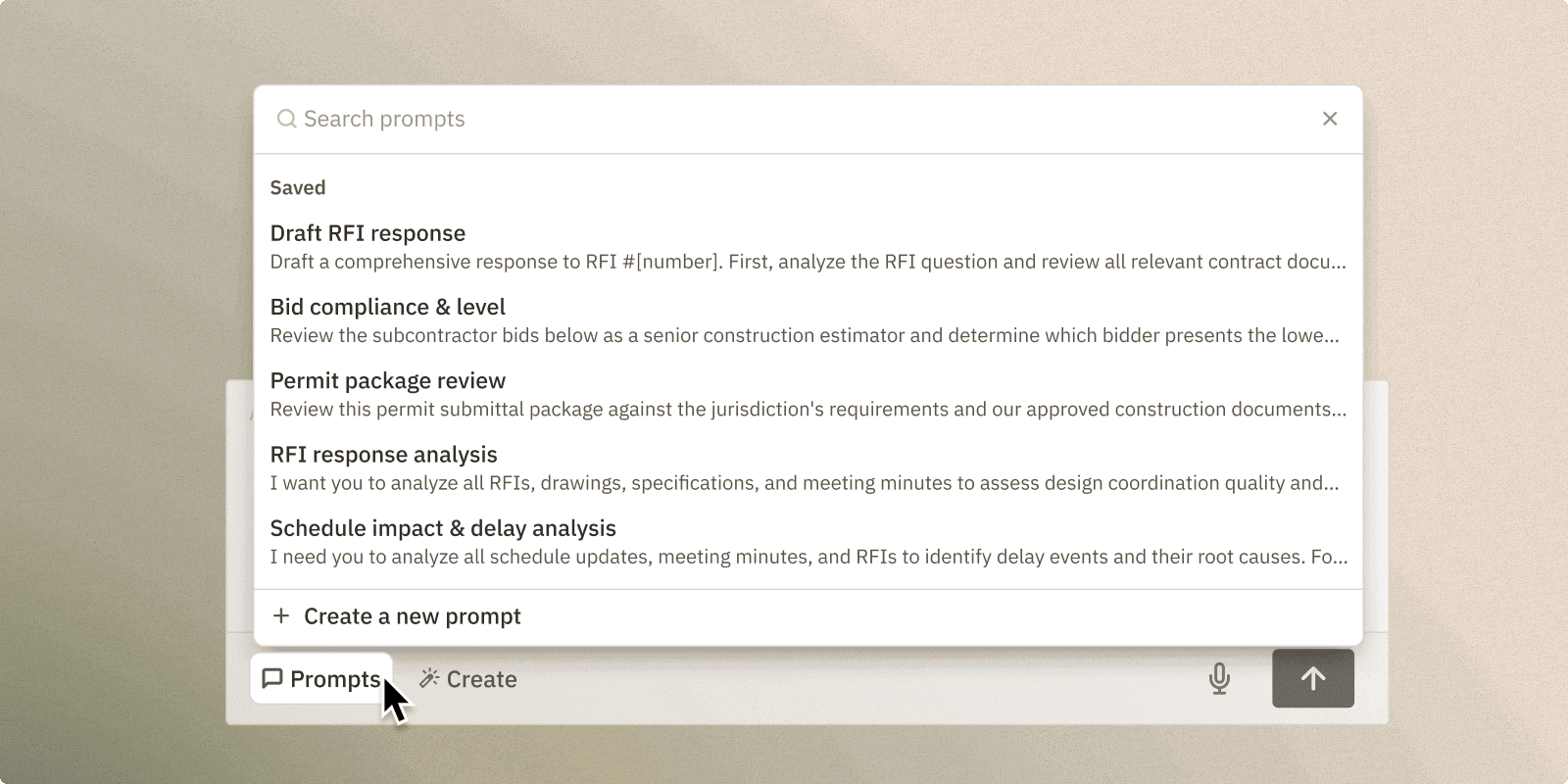
Every construction company runs on institutional knowledge — how your team structures an RFI, the way your senior PM reviews submittals, the format your owner expects for monthly reports. That knowledge usually lives in someone's head, or buried in old project files.
With Saved Prompts, you can translate tribal knowledge and SOPs into reusable prompts that follows your standards. When your team uses saved prompts, they get repeatable output that follows the same criteria your most experienced PM would apply. The process stays consistent whether it's being run by a 20-year veteran or someone in their first month on the job.
A living playbook: Think of it as a shared playbook for AI-assisted work: prompts for daily reports in your company's format, contract reviews against your standard terms, or how to run proper closeouts.The library grows as your team finds new applications, and every project benefits.
Onboard faster, maintain quality: A new project engineer can open Curtis on their first day, browse the prompts your organization has already built, and immediately start producing work that meets your company's standards — drafting RFI responses in your format, reviewing bids against your standard checklist, or summarizing specifications the way your team expects. This shortens onboarding period and allows new employees to focus on gaining experience, not pixel.
To create a saved prompt
Select Prompts from any chat, then choose Create New Prompt. Write or paste your prompt, and Curtis will generate a name for it. Once saved, your prompt is available to everyone on your team across all projects, ready to use in any chat at any time.
Improvements
Zoom capabilities
For very large drawing sets, we've now given Curtis the ability to zoom in and examine small details the same way you would: reading keynotes, checking dimensions, and pulling information from dense title blocks or partition schedules that would otherwise get lost at full-sheet scale. You get precise answers from complete drawing sets without needing to crop or isolate sections yourself.
Thought process history
Additionally, reasoning steps are now visible in message history for all new messages so you can always reference Curtis' thought process.